Demo reel generator
An animated image that shows how to work a website
A scripted browser session: the cursor travels, clicks, a highlight ring marks each target, and a caption bar names the step. Every frame is then stitched into one looping GIF. Works on any URL — a real site, a staging build, or a local file.
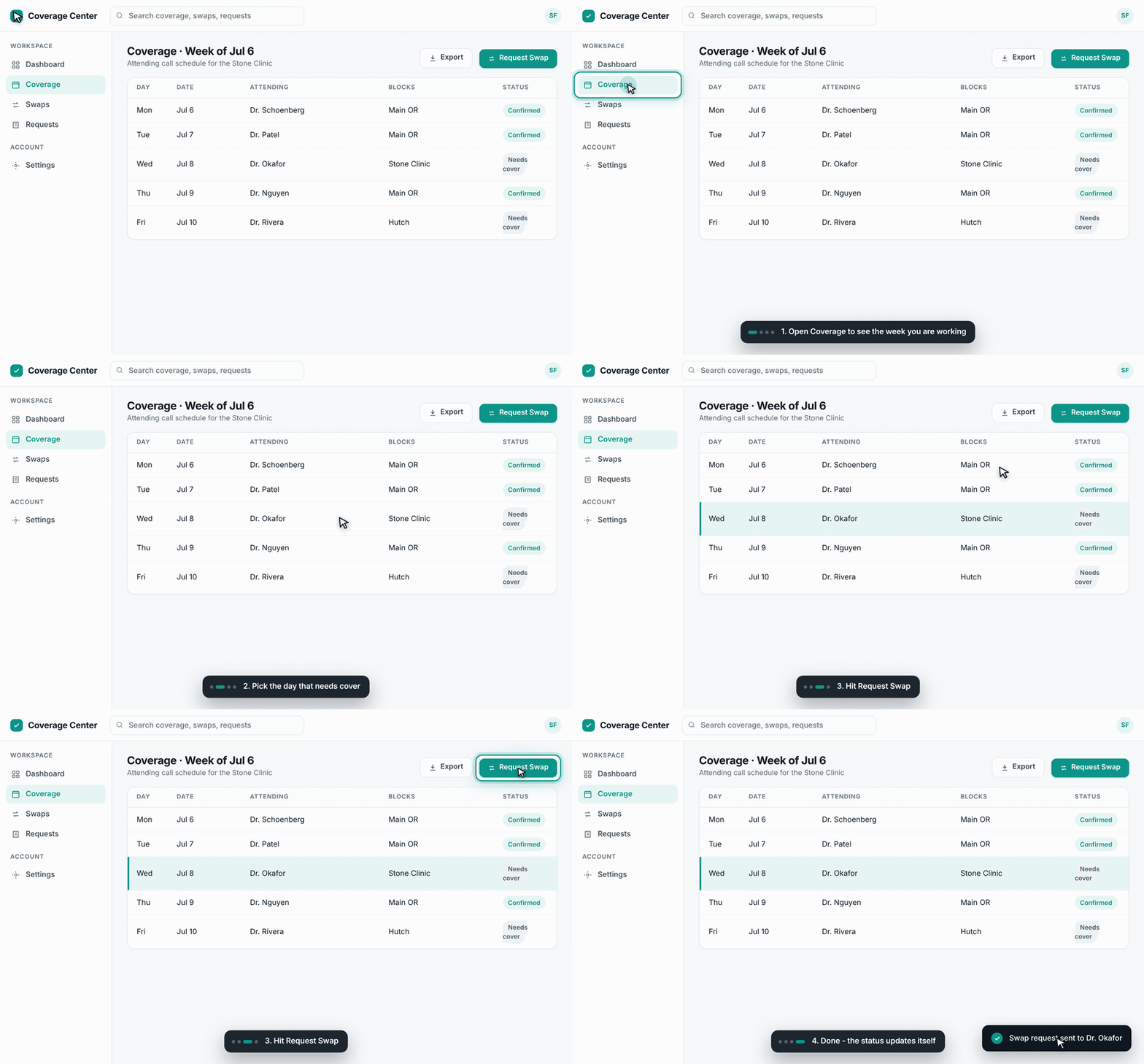
Coverage Center demo · 880×546 · one looping GIF, no video player needed
The four steps in that recording
- Open Coverage to see the week you are working
- Pick the day that needs cover
- Hit Request Swap
- Done — the status updates itself
Point it at your own site
# steps.json — one entry per thing you want to show
[
  { "caption": "1. Open Coverage", "selector": "#nav-coverage", "action": "click", "settle": 700 },
  { "caption": "2. Pick the day",  "selector": "#row-3",       "action": "click", "settle": 500 }
]

# record it
./run.sh "https://your-site.example.com" steps.json walkthrough.gif
The cursor, ring, ripple and caption are injected into the page by the recorder — so the site itself needs no changes, and nothing is drawn on top of your real UI.